ASO School
You can learn about ASO, App marketing, app store optimization and app promotional strategies here and gain the latest app market news and analysis. Helping you to carry out app store optimization and promote app data growth.
Where Should ASO Keywords Go When Google Play Has No Keyword Field?
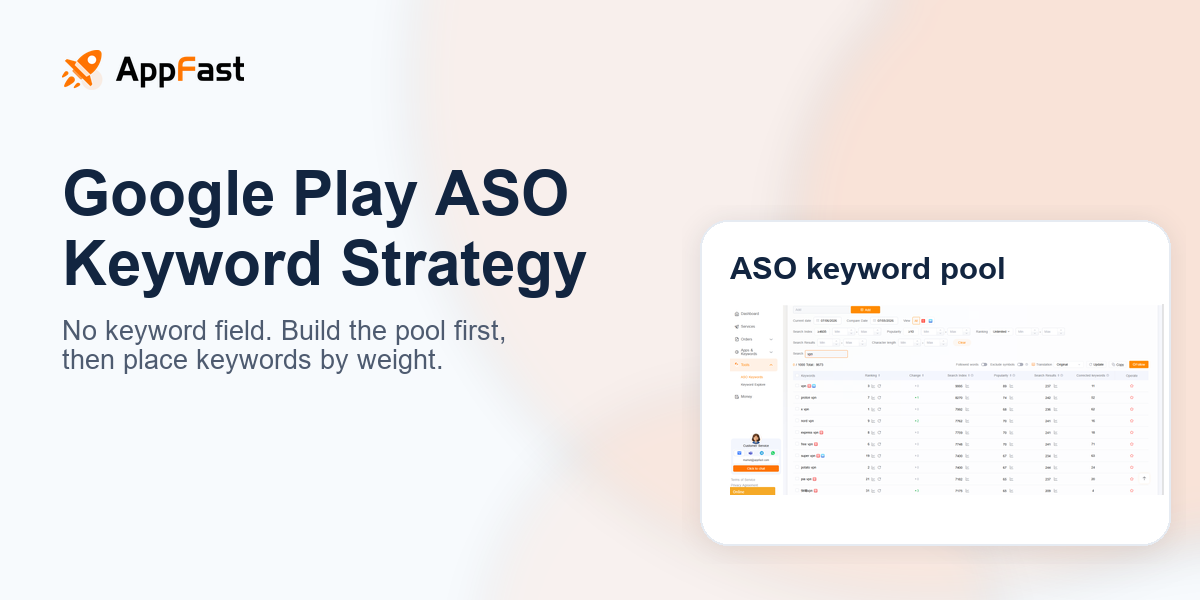
Many teams start Google Play ASO by looking for a “keyword field.” But Google Play does not have the 100-character keyword field you see in App Store Connect.
That does not mean keywords are unimportant. It means keyword signals are spread across your title, short description, long description, reviews, install conversion, retention, and off-store content.
1. Google Play does not lack keywords; it lacks a separate keyword box
The App Store has a keyword field, so many teams reduce ASO to “putting words into the backend.” Google Play works differently. It behaves more like a search engine: page text, user behavior, and product quality all help decide whether your app deserves to appear for a query.
The main places that affect keyword relevance on Google Play are:
- App title
- Short description
- Long description
- Developer name
- App category
- Review text
- User behavior after install
- Ratings, crash rate, uninstall rate, and retention
- Off-store mentions: website, help center, media pages, landing pages
So the real question is not “where do I put the keyword?” It is: which keywords are worth targeting, which layer should each one live in, and did they actually bring installs and retention after launch?
2. The first step in Google Play keyword optimization: find the words before writing copy
Many product pages are not weak because the copy is ugly. They are weak because they do not cover the terms users actually search.
For example, a language learning app team may prefer phrases like:
- AI language companion
- personalized learning experience
- smart education platform
But users may search for:
- learn spanish
- english speaking app
- duolingo alternative
- japanese lessons
- learn korean free
- language learning for travel
The first group sounds like a brand deck. The second group sounds like search demand.
Your keyword pool should come from at least five directions:
- Core category terms: language learning, learn spanish, english learning
- Feature terms: speaking practice, vocabulary, grammar, flashcards
- Use-case terms: travel english, business english, kids learning
- Competitor terms: duolingo alternative, babbel alternative
- Long-tail question terms: how to learn spanish fast, best app to learn japanese
Do not rely on brainstorming alone. Brainstormed keywords are often what the team wants to say, not what users actually search.
3. Why should you look at App Store keyword popularity when optimizing Google Play?
Google Play does not expose a public keyword popularity field, so many teams get stuck on one question: “How do I know whether this term is worth targeting?”
A practical shortcut is to use App Store keyword popularity as a demand radar.
The reason is simple: user search intent is highly similar across platforms. If someone searches `learn spanish` in the App Store, another user may search for a similar term on Google Play. The platform changes; the demand does not.
This does not mean App Store data can be copied directly into Google Play. Use it as a supporting signal:
| Signal | How to use it |
|---|---|
| High App Store popularity | Demand exists, so the term is worth adding to the candidate pool |
| Many competitors cover the term | Commercial value may be high, but competition is also high |
| Google Play search results are relevant | The platform can understand this term |
| Diandian Data download/ranking trend validation | Check whether the term is actually connected to volume |
The lazy method: pull high-popularity App Store terms first, then filter them with Google Play search results and competitor pages. Do not start with a complex model covering hundreds of keywords. Find the obviously real demand first.
4. Where should keywords go? Place them by weight and intent layer
Google Play keywords are not weighted equally. Different locations carry different value and fit different types of terms.
Title: use only the core category term
The title has the highest weight, but it is also the most expensive real estate. Do not stuff it.
Good fits include:
- Main category term
- Strongest use case
- Core explanation after the brand name
Example:
Duolingo: Language Lessons
It does not list “learn spanish english french korean japanese,” but `Language Lessons` immediately tells both users and the system what category the product belongs to.
The most common title problem is simple: the brand name is cool, but users cannot tell what the app does.
Short description: core value proposition + 1–2 demand terms
The short description is like the elevator pitch on the search results page. It needs to serve both the algorithm and user clicks.
It can cover:
- Target user
- Core feature
- Main use case
- One or two high-value keywords
Do not write it like an ad slogan, for example:
Learn smarter every day with the most innovative education app.
A better direction is:
Learn Spanish, English, Japanese and more with quick daily lessons.
Simple, direct, and easy for search systems to understand.
Long description: carry the full keyword matrix
The long description is the best place on Google Play to carry a complete keyword system.
But “carry” does not mean repeating keywords. The long description should follow the user decision path:
- What the app is
- Who it is for
- Which use cases it solves
- Which core features it offers
- Which languages, countries, or content it supports
- Why it is worth downloading
- What the user should do next
Keywords should appear naturally inside those sections.
For a language learning app, the long description can cover:
- Learn Spanish / French / Japanese / Korean
- English speaking practice
- Vocabulary and grammar lessons
- Travel language learning
- Daily practice and streaks
- Free language learning app
Each term should appear once in the right context. Repeating it ten times is not optimization; it is noise.
5. Do not only look at metadata: Google Play increasingly cares about behavior quality
Keywords can get you into the candidate set, but they do not guarantee stable ranking.
Google Play checks whether users actually like the result. Typical signals include:
- Click-through rate after search exposure
- Conversion rate from store listing to install
- Open rate after install
- Retention
- Uninstall rate
- Ratings and reviews
- Android Vitals: crashes, freezes, and ANRs
This is why some apps stuff keywords, get short-term exposure, and then lose ranking over time.
The algorithm is likely asking a more realistic question: when users search this term, click your listing, and install your app, do they stay?
If not, keyword relevance alone will not hold the ranking for long.
6. Reviews are keyword assets, but they should not be manipulated
Google Play review text helps the system understand your product. Feature terms, use-case terms, and competitor comparisons that appear naturally in user reviews can all become semantic signals.
But this is not a reason to fake reviews or write review templates. That is risk, not growth.
A safer approach is:
- Prompt genuinely satisfied users to leave reviews inside the product
- Encourage users to describe specific use cases
- Use feature and scenario terms naturally when replying to reviews
- Turn frequent negative-review terms into product fixes and FAQ content
For example, if users repeatedly mention “speaking practice not enough” in reviews, that is not only a review issue. It is also a keyword signal and a product roadmap signal.
7. Use AppFast to build a Google Play keyword pool faster
Manual keyword research is possible, but it is slow.
For one country, one category, and several competitors, manually checking Google Play pages, search suggestions, competitor descriptions, and review keywords quickly becomes repetitive work.
AppFast is most useful at the first step: build the candidate keyword pool first, then let the operator decide which terms deserve placement in the title, short description, long description, and website content.
A practical workflow:
- Go to Tools → ASO Keywords in the AppFast dashboard
- Select Google Play and the target country, such as USA
- Enter the package name, store link, or app name
- Pull competitor-related keywords
- Export and classify them into category terms / feature terms / use-case terms / competitor terms / long-tail terms
- Filter again with App Store popularity, Google Play search results, and Diandian Data trends
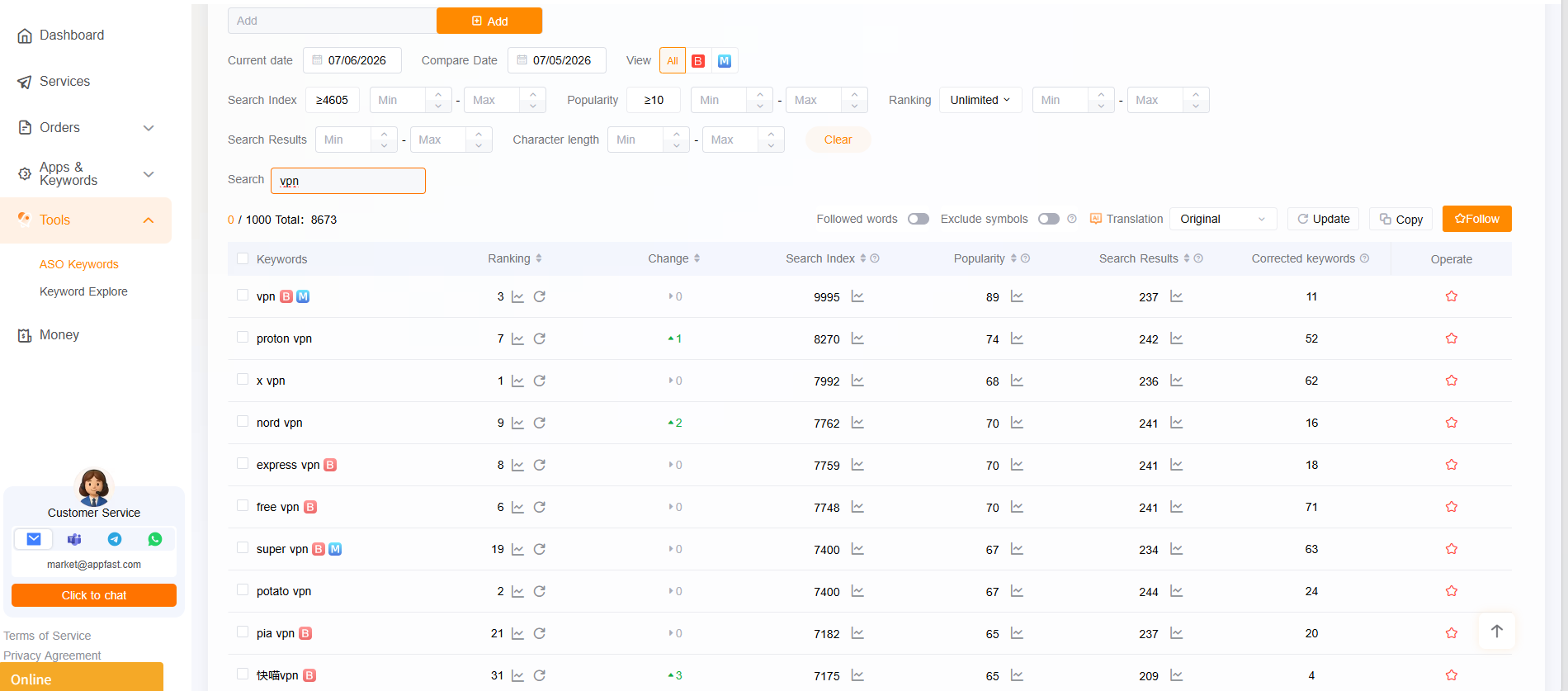
Do not expect the tool to do all ASO decisions for you. The tool removes collection cost; judgment still belongs to the operator.
8. After placing keywords, how do you know whether they worked?
Keyword optimization is not finished after one release. It should be a loop:
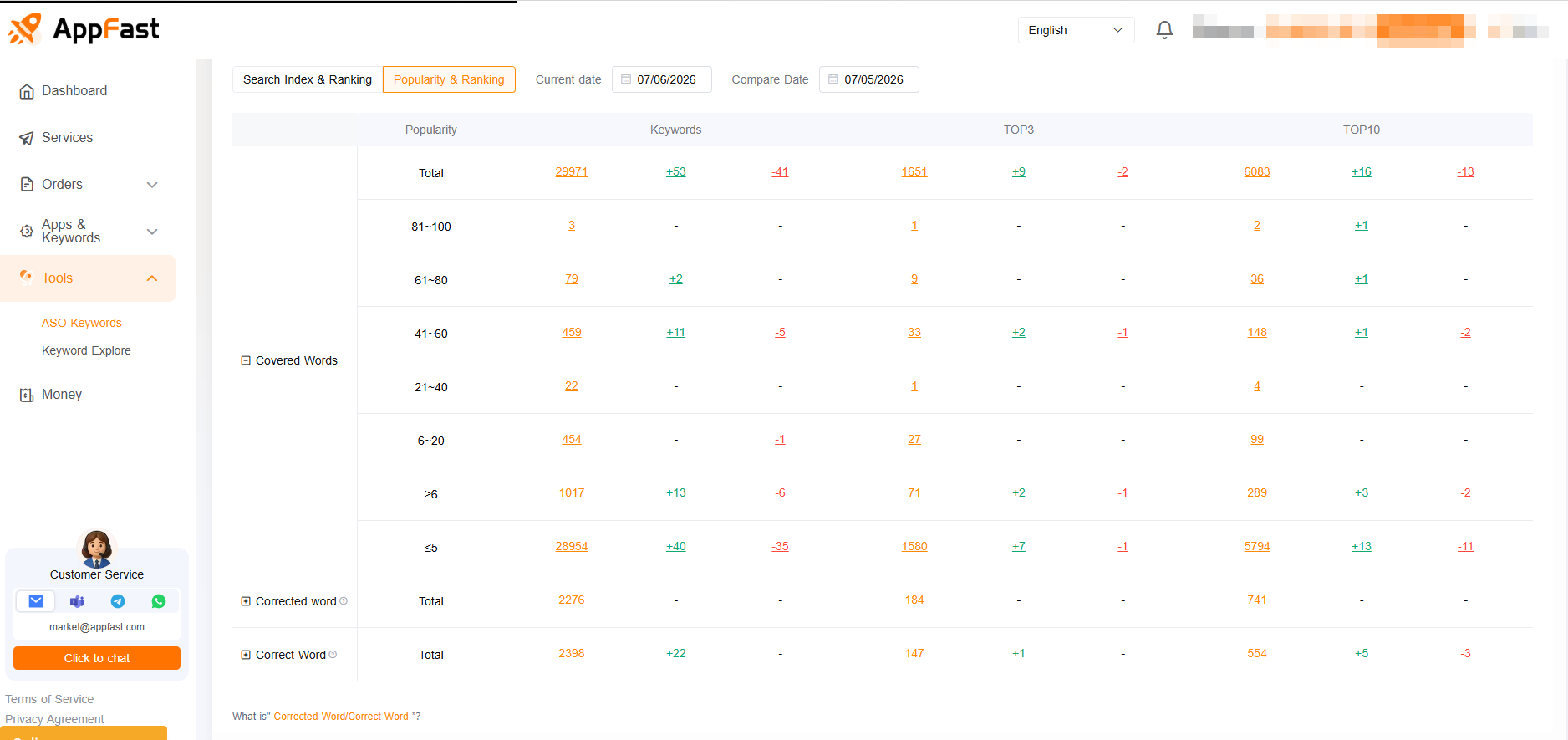
Find terms → validate → place terms → test → track → adjust again
Track at least four types of metrics:
1) Keyword ranking
Did the target term enter the top 50, top 20, or top 10? If there is no ranking, relevance or weight is still not enough.
2) Search download changes
If keyword ranking improves but search downloads do not grow, the term may be too small, or the store listing may not convert.
3) Conversion rate
If exposure rises but install rate drops, the keyword may be attracting mismatched users, or the icon, screenshots, and short description may not match the search intent.
4) Retention and uninstall rate
This is the easiest part to ignore. If users from a term have poor retention, it is not a good keyword, even if search volume is high.
9. Google Play AI search results may also look at your website content
ASO can no longer focus only on the store listing.
Google Play AI summaries, recommendations, and broader search understanding may increasingly reference off-store content: product websites, help centers, landing pages, FAQs, media articles, and developer pages. This content helps the system understand what your app solves, which users it fits, and which scenarios it is related to.
So keyword optimization should not stop at metadata. A more complete approach is to build a website content matrix:
- Feature pages: for example, `AI speaking practice app`, `vocabulary builder app`
- Use-case pages: for example, `learn Spanish for travel`, `business English practice`
- Competitor alternative pages: for example, `Duolingo alternative for advanced learners`
- FAQ pages: answer real user questions, such as `What is the best app to learn Korean?`
- Country localization pages: write localized expressions for markets such as the US, Japan, South Korea, and Brazil
This content has two roles:
First, it can capture organic Google search traffic.
Second, it can help Google better understand your product’s semantic boundary.
Changing only store metadata is like changing the sign on the door. A website content matrix gives the search system a fuller map.
10. Minimum executable checklist
If you need to rebuild a Google Play ASO keyword plan now, do not start with a big strategy document. Do these seven steps first:
- Pull 3–5 direct competitors
- Collect competitor titles, short descriptions, and long descriptions
- Use AppFast or a similar tool to build a keyword pool
- Use App Store popularity to judge demand strength
- Use Google Play search results to filter irrelevant terms
- Layer terms into the title, short description, and long description
- After launch, track ranking, search downloads, conversion rate, and retention
If you only do one thing: separate “terms users actually search” from “terms the team wants to say.”
Conclusion: Google Play ASO is not keyword filling; it is demand validation
Google Play has no keyword field, so it tests ASO fundamentals more seriously.
Do not only ask: did we put this term into the listing?
Ask instead:
- Do users really search this term?
- Does this term represent the target user?
- Does my store listing match this intent?
- Do users stay after installing?
- Do the website and off-store content also prove this relevance?
Keywords are only the entrance. What decides whether ranking can last is relevance, conversion rate, product experience, and the surrounding content ecosystem.
If you want to validate one keyword today, do not stop at “putting the term into the description.” AppFast’s Google Play keyword download service is designed to guide real users to search the target keyword and complete the download, so Google Play can see search, click, and install signals for that term in a short period of time. Today’s visible keyword ranking improvement shows that this action affects keyword ranking signals, not just keyword list collection.
But it still does not replace judgment. First use competitor terms, use-case terms, and long-tail terms to find keywords worth testing. Then use search-driven downloads to validate ranking improvement. Finally, keep watching conversion rate, retention, and uninstall rate. Only the terms that retain users deserve long-term placement in the title, short description, and content matrix.